How to power Starlink from a battery — and bypass the AC power supply
Running Starlink at a solar site, a WISP tower, an RV, or a cabin? Skip the wall outlet and feed it straight from DC — if you get the voltage right. This guide walks a real Gen 3 tower build on a 48V LiFePO₄ plant, plus the Mini and 12V/car-battery options, with the exact parts we used.
Field-tested guide · Updated September 2026 · Covers Gen 3, Mini & 12V/car-battery setups
Before you buy, read Starlink vs a local WISP or fiber ISP — it covers the surcharges (up to ~$500 in some areas), roaming-only markets, and the VPN/VoIP gotchas most people find out about too late.
Why bypass the AC power supply
Starlink ships with a brick meant for a wall outlet. On a battery/solar system that's wasteful: your battery is already DC, so running DC → inverter → AC → brick → back to DC burns 10–20% in conversion losses and adds boxes that can fail.
Feed DC straight in instead and you get more runtime from the same battery, fewer failure points at a remote site, and a link that rides straight through grid outages with no transfer delay. Standard practice for WISPs, off-grid homes, vans and boats — the only catch is voltage.
The DC plant
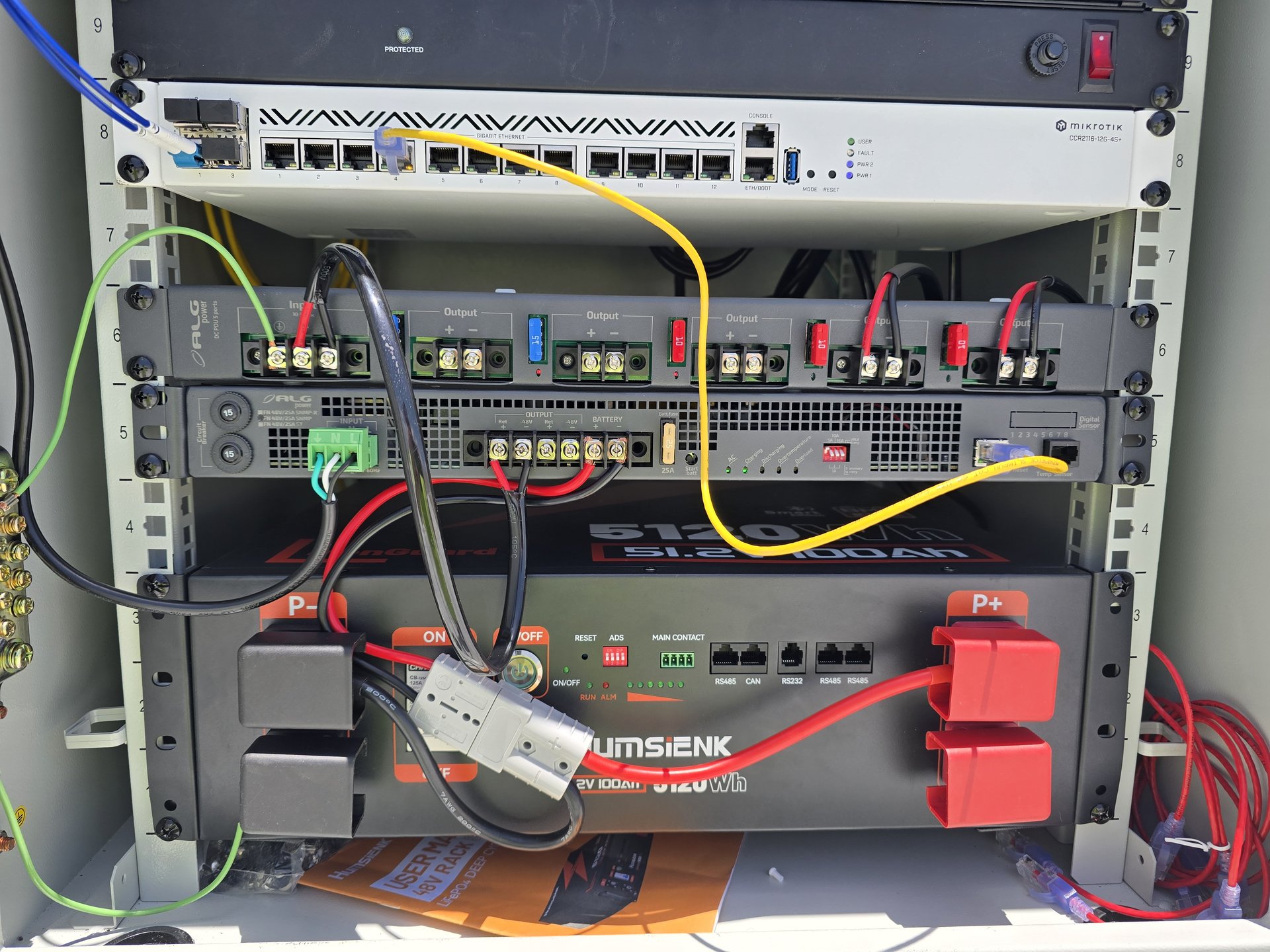
The heart of the build is a rack-mount LiFePO₄ battery and a telecom DC UPS that charges it and keeps everything up when the grid drops. Ours:
Know your battery voltage (this is where people fry things)
A "48V" or "51.2V" LiFePO₄ battery is not a steady 48V. Our Humsienk 16S pack swings across a wide range as it charges and discharges. Here's resting (no-load) voltage by state of charge for 12V (4S), 24V (8S) and 48V (16S) packs — while charging you'll see more (absorption tops ~3.65 V/cell = 14.6 / 29.2 / 58.4 V, float ~3.4 V/cell).
| Charge | Per cell | 12V · 4S | 24V · 8S | 48V · 16S |
|---|---|---|---|---|
| 100% | 3.40V | 13.6V | 27.2V | 54.4V |
| 90% | 3.35V | 13.4V | 26.8V | 53.6V |
| 80% | 3.33V | 13.3V | 26.6V | 53.3V |
| 70% | 3.30V | 13.2V | 26.4V | 52.8V |
| 60% | 3.28V | 13.1V | 26.2V | 52.5V |
| 50% | 3.26V | 13.0V | 26.1V | 52.2V |
| 40% | 3.25V | 13.0V | 26.0V | 52.0V |
| 30% | 3.23V | 12.9V | 25.8V | 51.7V |
| 20% | 3.20V | 12.8V | 25.6V | 51.2V |
| 10% | 3.00V | 12.0V | 24.0V | 48.0V |
| Empty (cutoff) | ~2.50V | ~10.0V | ~20.0V | ~40.0V |
Approximate resting voltages — LiFePO₄ is very flat through the middle, so trust your BMS percentage; values shift ~±0.05 V/cell. On our tower the ALGcom DC-UPS holds this 16S pack at 54V float, alarms at 47V, and load-sheds (LVD) at 45V — so in practice it lives in the ~47–54V band.
Powering each Starlink on DC
Three common setups, three different voltage stories. Find yours.
Gen 3 — run it off the ~54V bus
This is the tower build. The Gen 3 dish and router run directly from the ~54V LiFePO₄ bus. Starlink's 48V-rated DC gear powers up and runs fine at 54V; for a fully in-spec job, pick a converter rated for the whole range.
The clean, in-spec converter: a Mean Well SD-500L-48. It takes 19–72V in — covering your entire 40–57.6V battery swing — and its output adjusts 46–60V, so you dial it to a rock-steady 56V for the dish. 500W is ample headroom for a Gen 3.
Mean Well SD-500L-48 converter →The "mini" barrel plug — a 12–48V DC feed
The small DC5521 (5.5×2.1 mm) "mini" plug is the easy DC connector — center pin positive. It's a tidy compact feed for any 12–48V source (and it's what the Starlink Mini uses). Use ≥14AWG so startup current doesn't drop the voltage. Running a 48V/51.2V pack that floats ~54V? Step down to about 36V first — anything on this plug expects 48V max.
Low-voltage source — step up with the Starlink UTP-241L
Running off a 12V or 24V battery (car, RV, small solar)? Starlink's own UTP-241L power supply is a DC-DC unit: it takes 12–48V in and puts out the 56V Starlink wants — no AC, no inverter. This is the clean choice for lower-voltage systems.
Wiring & polarity
On barrel plugs the center pin is positive (+). On a telecom plant the terminals read Ret (return / battery +) and -48V (the hot): land input + on Ret and input − on -48V. Always fuse the input on the battery side, and use ≥14AWG so voltage drop doesn't starve the dish on startup.
Tower-site example
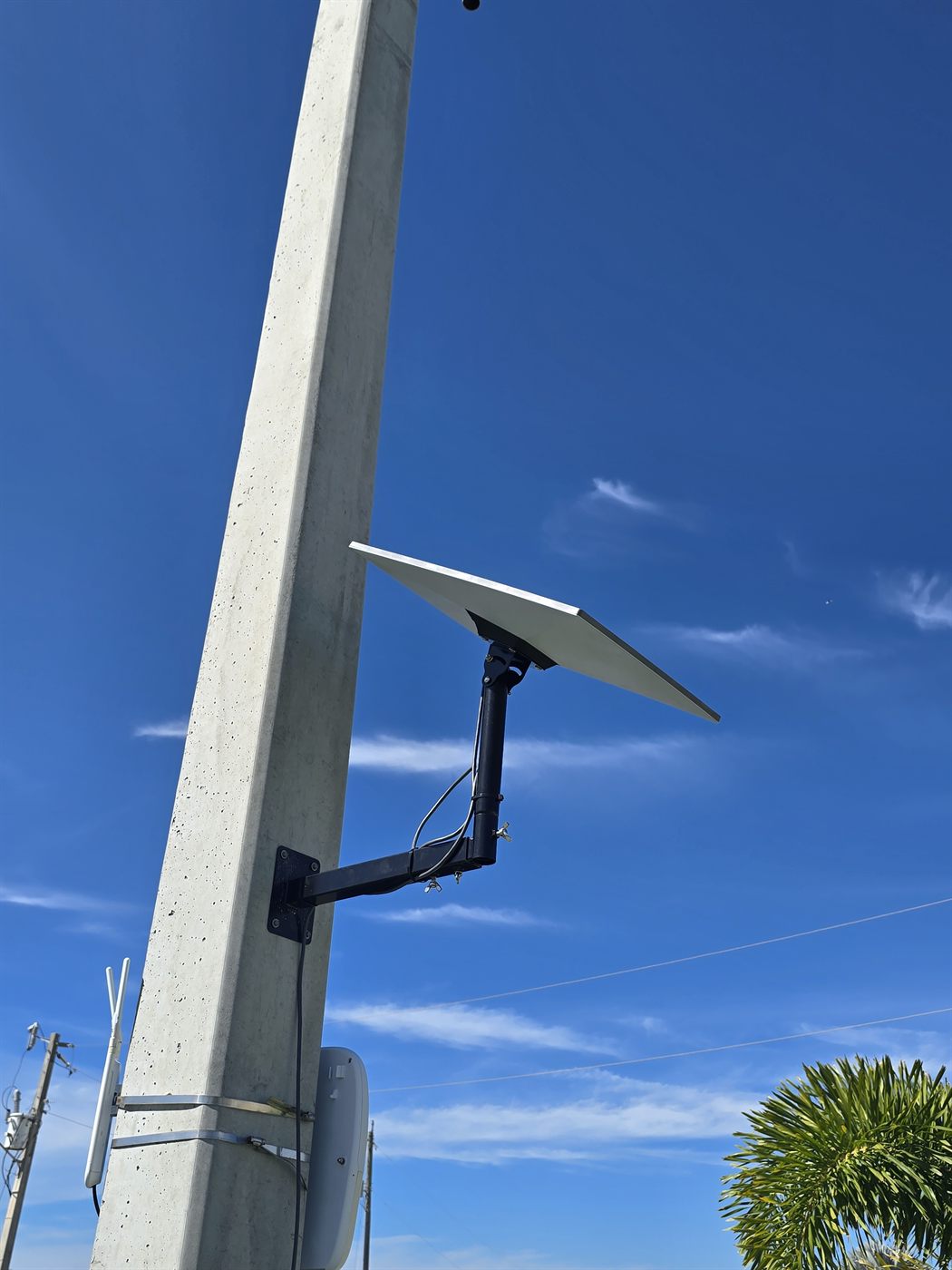
This tower site in Southwest Florida overlooks roughly 1,000 mobile homes. A fiber feed already runs back to our data center, but we wanted an off-net backup in case that path is ever cut — so Starlink serves as backhaul here, powered from the site's battery plant instead of mains. When the grid drops, the link stays up.
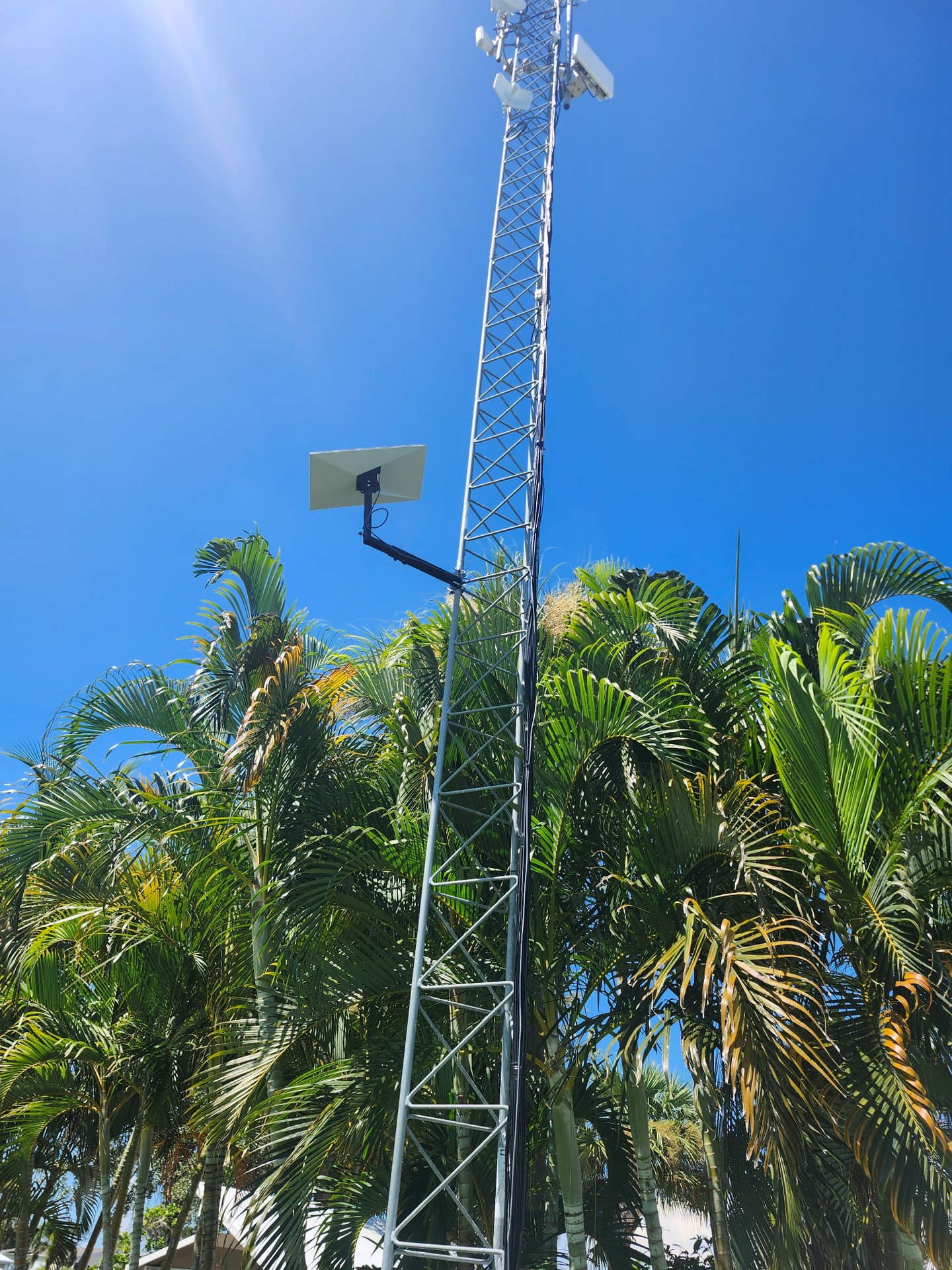
Starlink Gen 3 telescoping wall/pole mount →
Parts we used
- Humsienk 48V 100Ah LiFePO₄ battery — 51.2V, 5.12kWh, 16S, rack-mount, Bluetooth/BMS. View →
- ALGcom FN-4800/25-SNMP DC UPS — 48V / 25A rectifier + charger + backup, SNMP. View →
- Starlink Gen 3 mount — 360° adjustable telescoping wall/pole mount. View →
- Starlink Mini DC5521 power cable — 5.5×2.1mm barrel to bare wire, 14AWG. View →
- Mean Well SD-500L-48 DC-DC converter — 19–72V in, 46–60V out (set 56V), 500W. View →
Some links are affiliate links — we only link to gear used in this build. Modifying power connections is at your own risk; verify all voltages with a meter.
Frequently asked questions
Can I power a Starlink Gen 3 from a 48V LiFePO₄ battery? +
Yes. A 48V/51.2V LiFePO₄ plant runs around 54V, and Starlink's 48V-rated DC gear powers up and runs the Gen 3 router and dish at 54V. For a fully in-spec install, use gear rated for a higher input (60V+).
How do I power a Starlink Mini on DC? +
The Mini takes 12–48V DC on its DC5521 (5.5×2.1mm) barrel jack. Use a barrel power cable from a 12–48V source; on a 48V/54V pack, step down to about 36V first.
How do I run Starlink off a 12V car or RV battery? +
Use the Starlink UTP-241L power supply, which accepts 12–48V DC and steps it up to the 56V Starlink needs.
How much power does Starlink use on DC? +
A Mini averages ~17–40W (~60W at startup). A Gen 3 runs ~75–100W, with heater surges past 180W in cold, wet weather.
Can I run Starlink on solar power? +
Yes — Starlink runs well on a solar + LiFePO₄ system. Feed it regulated DC and skip the inverter entirely. Size your panels and battery for the peak draw, not the average.
What size wire should I use for Starlink DC power? +
At least 14AWG for a short barrel run, heavier for longer runs — undersized wire drops voltage and can starve the dish during its higher-current startup.
Does bypassing the power supply void the warranty? +
Modifying the power path is done at your own risk and can affect warranty coverage. This guide is informational — verify every voltage with a meter.
How long will Starlink run on a battery during a power outage? +
A Gen 3 averages ~90W (about 2.2 kWh/day), so a 5 kWh LiFePO₄ bank runs it roughly 2 days with no charging — see Gen 3 power draw & battery sizing for the math and solar sizing.
Can I run Starlink and my router or radios off the same battery? +
Yes — just sum every load on the plant and size the battery and charge source for the total, not the dish alone. The dish is rarely the only thing on the bank.
What about powering Starlink in an RV or while moving? +
That is a different setup — the Mini on 12V with a mobility plan. See running Starlink 24/7 in an RV or van.
New to Starlink? Grab a free month.
New customers get one month of service free through our referral — applied to the second month.
See the Free-Month Offer →When you choose local, you're supporting local
Support your local internet provider whenever you can, and save Starlink for where it's genuinely the only reliable option. Your money stays in your community — funding local jobs, local businesses, and the people who live and work in the same places they serve. Local and regional providers also usually beat satellite on latency and support where they reach.
Check who already covers your address before you buy a dish: the WISPA “Find a WISP” directory, the FCC Broadband Map, or a quick search for your county + “internet providers.” In our areas, On-Ramp Indiana (Indiana) and ETHX (Southwest Florida) offer local fiber and fixed-wireless: